Register patients, print receipts and barcodes, enter results, and print professional reports — all from one Windows software built for busy laboratories.
Automatic High/Low flags based on the patient's age and gender, multi-user access over your local network, daily backups, and a clear view of every rupee received.
14-day free trial included. No card required to start.
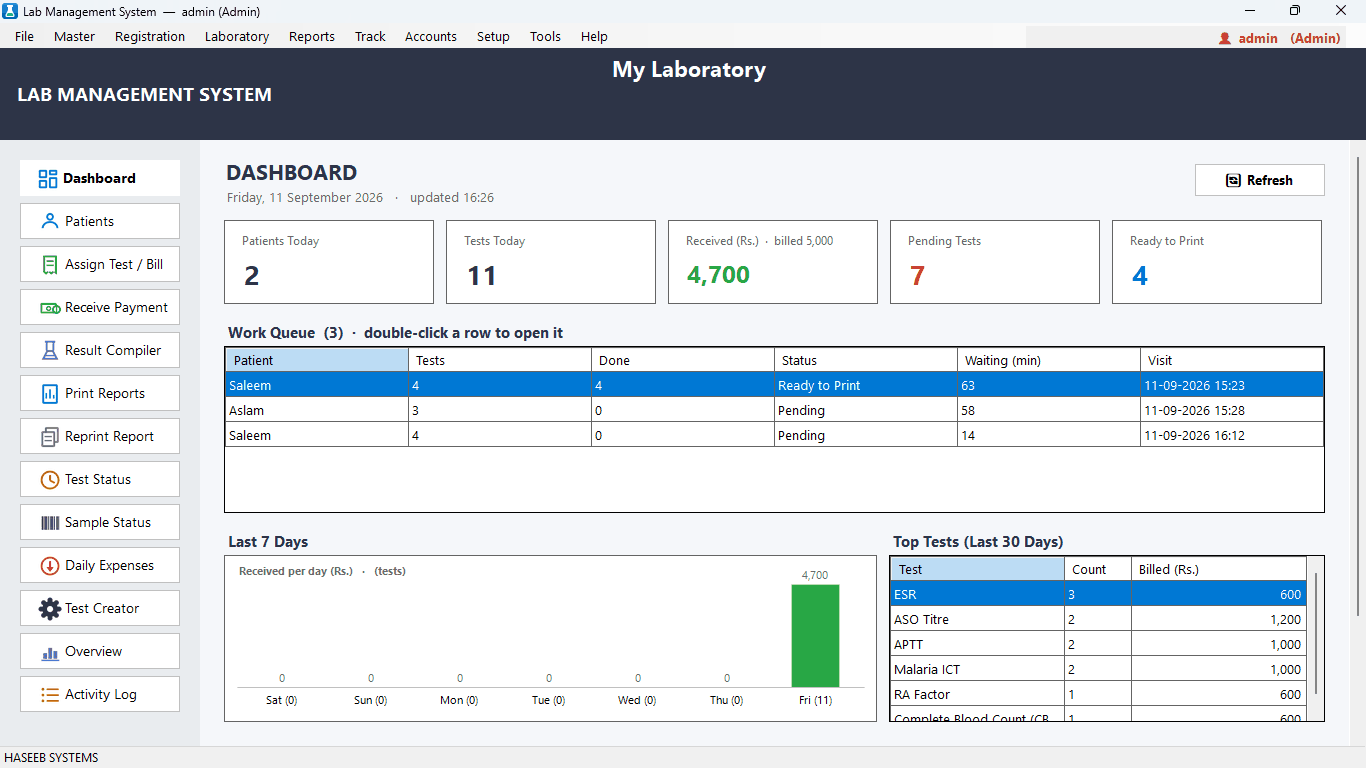
Built around how a real laboratory actually works.
High and Low flags come from reference ranges matched to each patient's age and gender, so a child is never judged by adult values.
Bill, receipt and sample barcodes print in one step, straight to the printer.
Every payment, refund, discount and expense is recorded, with a daily cash sheet and a business overview.
The database runs on your own computer, with automatic daily backups.
Reception, technicians, in-charge and owner each see only what they need.
Daily work runs on your own computers and network. Internet is needed only for activation and periodic license checks.
Everything below is in the software today.
Register patients once and bill any number of tests per visit. Apply percentage discounts, record the referring doctor, and take full or partial payment. The software tracks the balance until it is cleared.
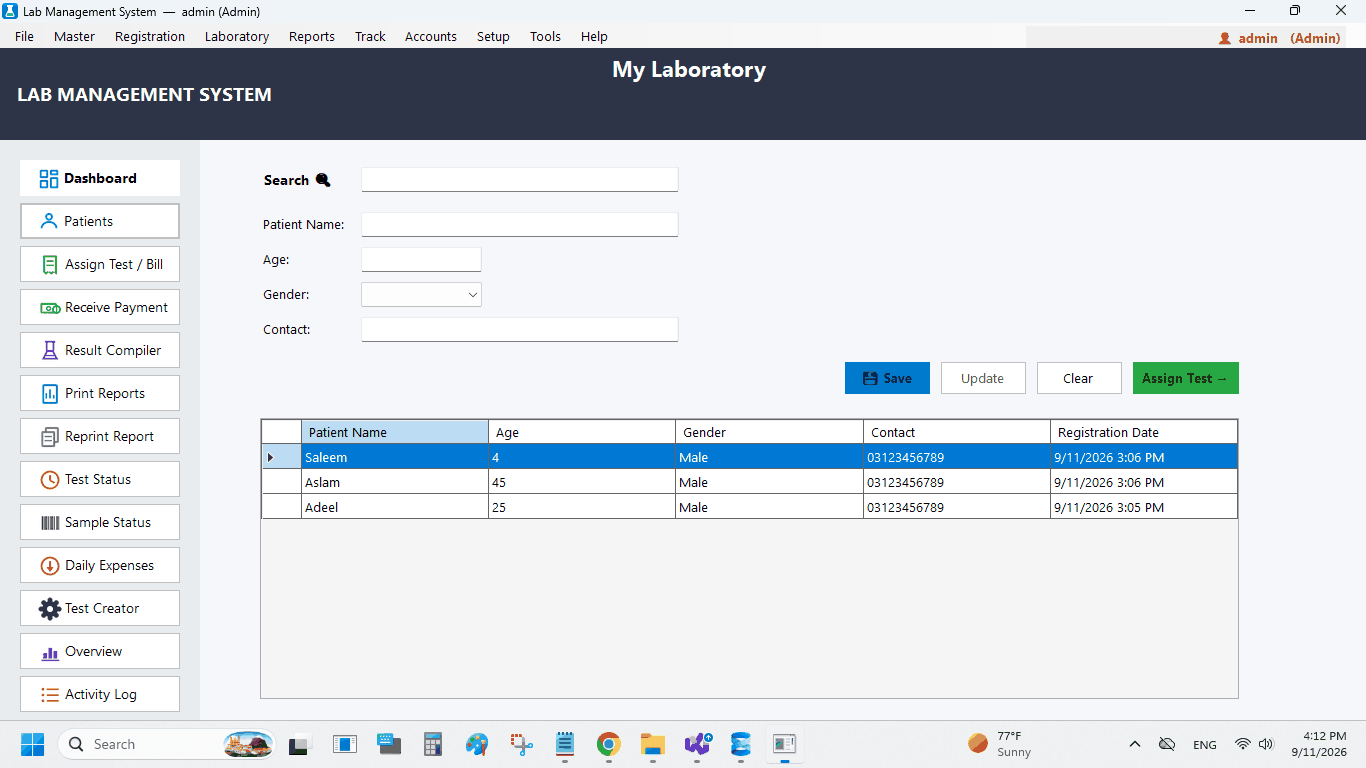
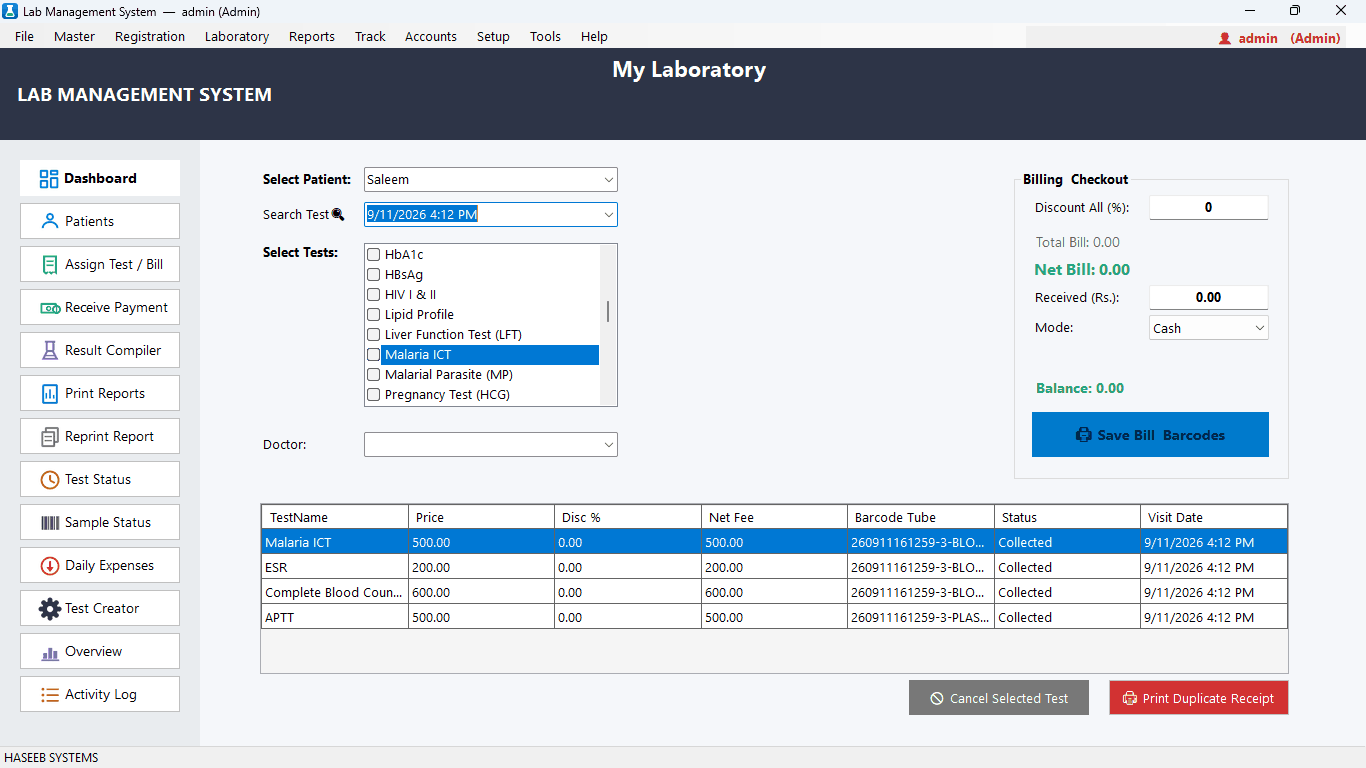
Record payments in Cash or any other mode your lab accepts — JazzCash, EasyPaisa, card payments or local wallets in other countries. Take partial payments, track the outstanding balance per visit, and record refunds separately.
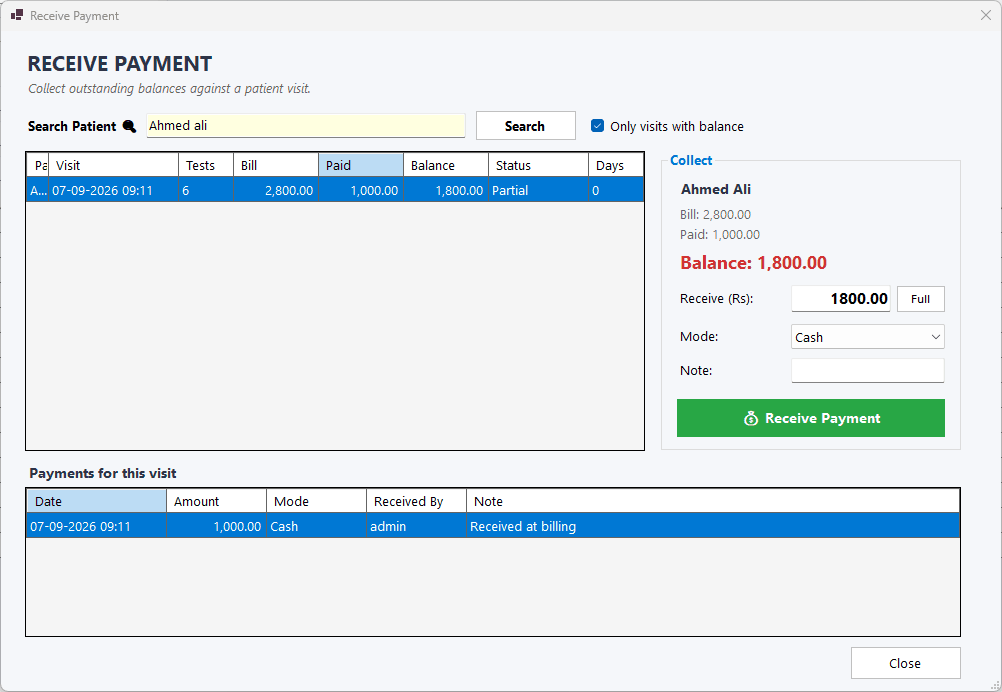
Print a clean 80 mm receipt with the lab's name, tests, discount, payment and balance. Each receipt carries a QR code for quick report lookup, and every sample type (blood, serum, urine…) gets its own Code 128 barcode label.
Scan a sample label to update its status and follow every test from collection to report. The dashboard work queue shows which visits are pending and which are ready to print, with waiting time for each.
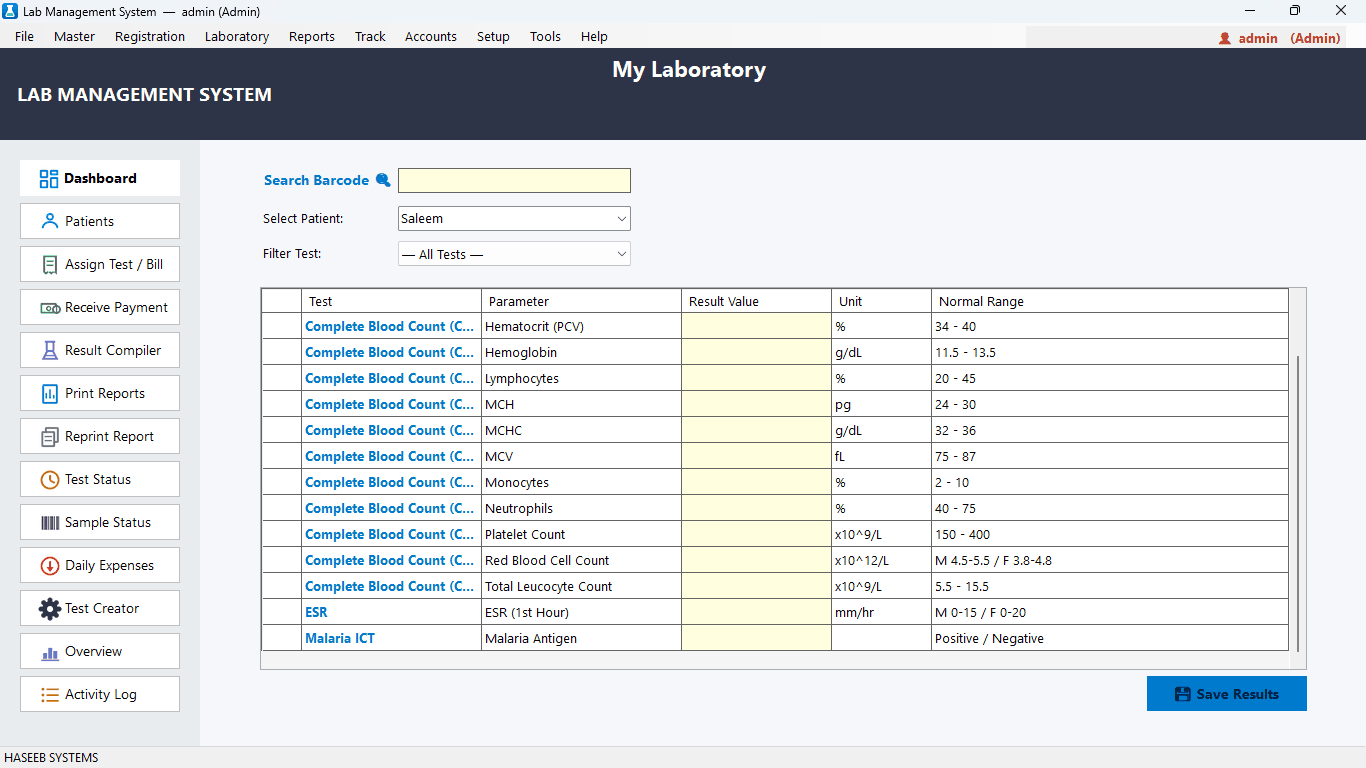
Enter results parameter by parameter. Values outside the reference range are flagged automatically, using the range that matches the patient's age and gender.
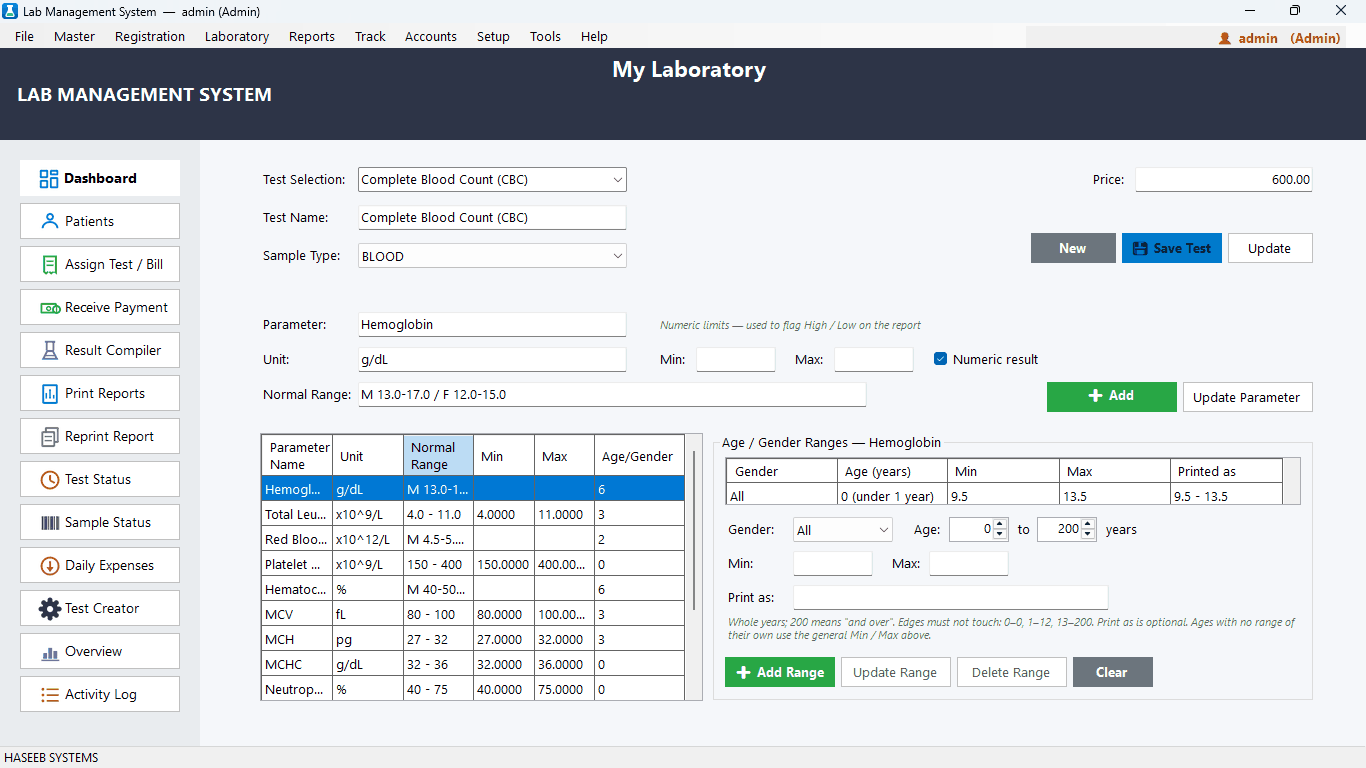
Set separate normal ranges for children, adult men, adult women and older patients — for example different hemoglobin ranges for infants, children and adults. The software checks your ranges for overlaps so the right range is always chosen.
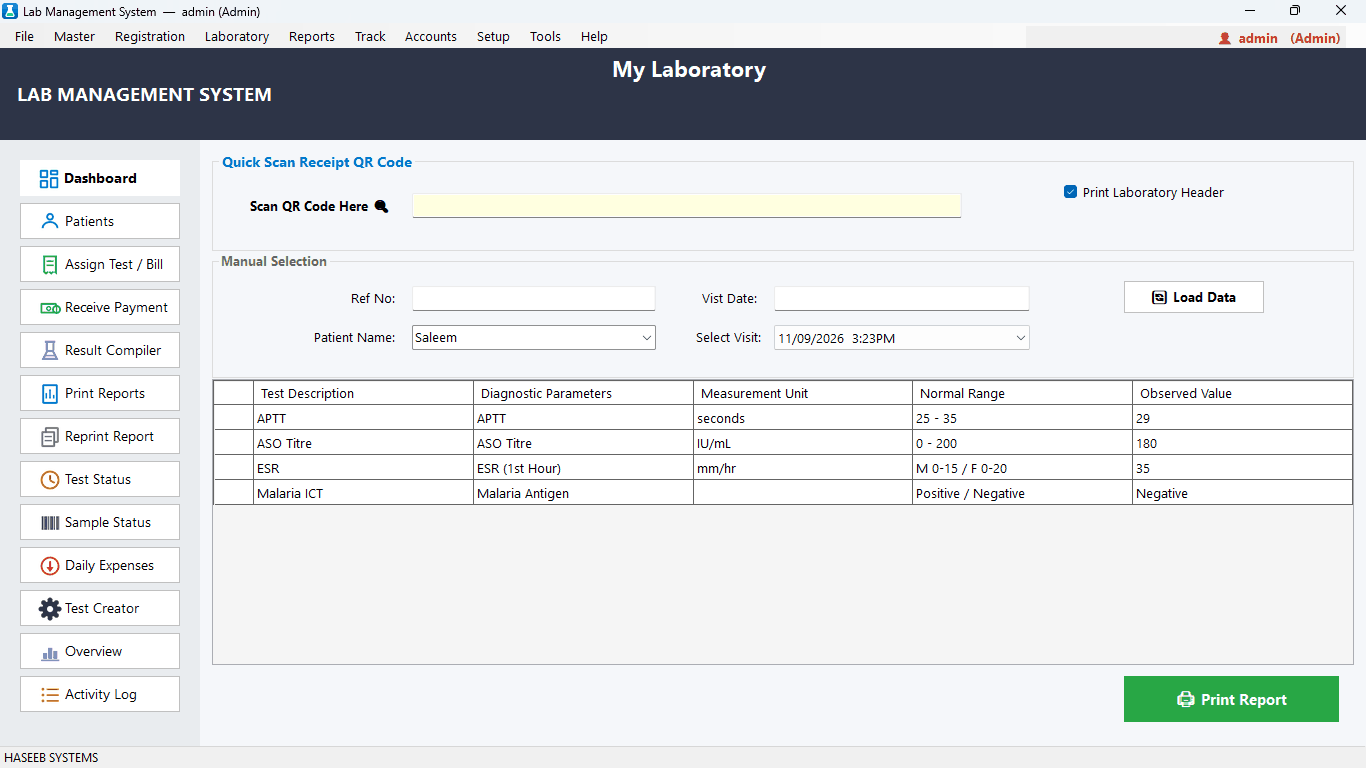
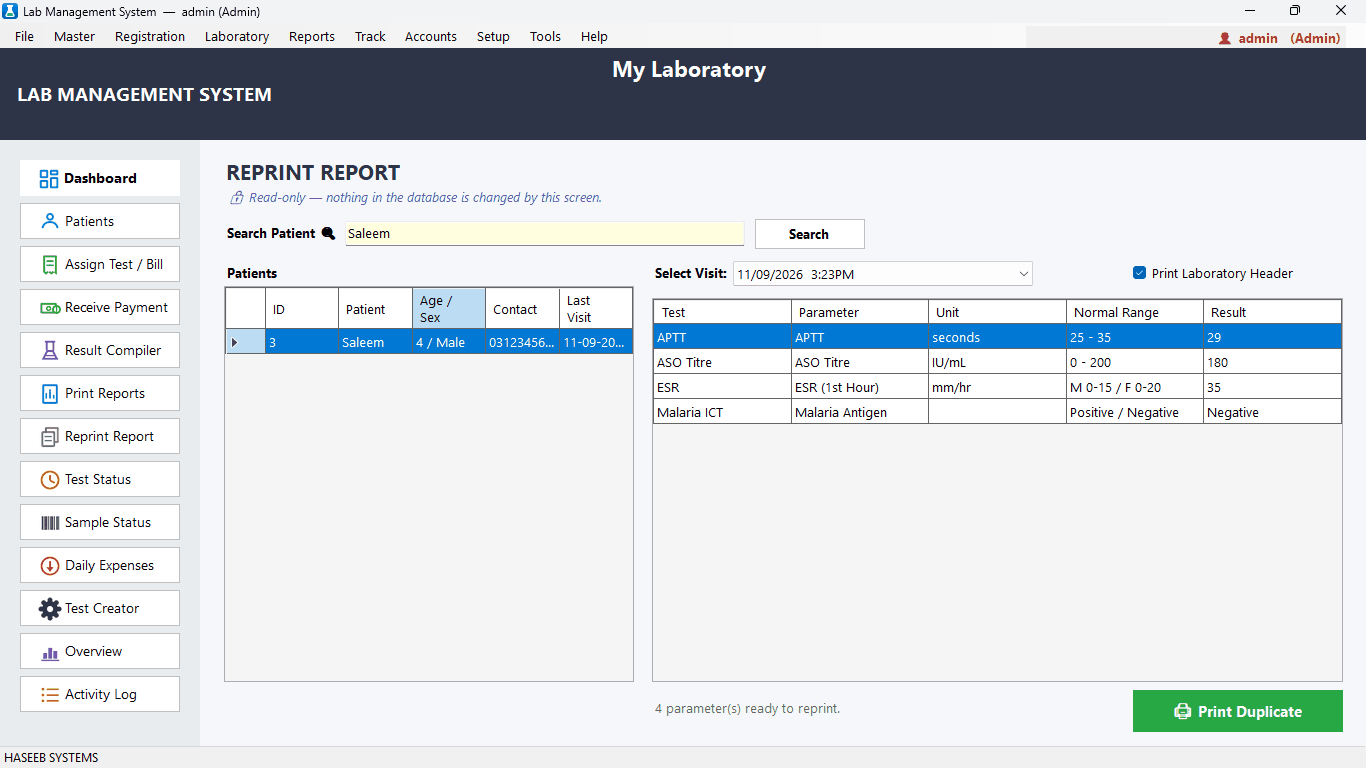
Print reports with or without your lab header, with units, normal ranges and flags. Reprint any past report in seconds.
Starts with 48 common tests — including CBC, LFT, RFT, Lipid Profile, Thyroid Profile, HbA1c, blood sugar, electrolytes, urine and stool examination, dengue, typhoid, hepatitis and more. Prices, parameters and ranges are fully editable.
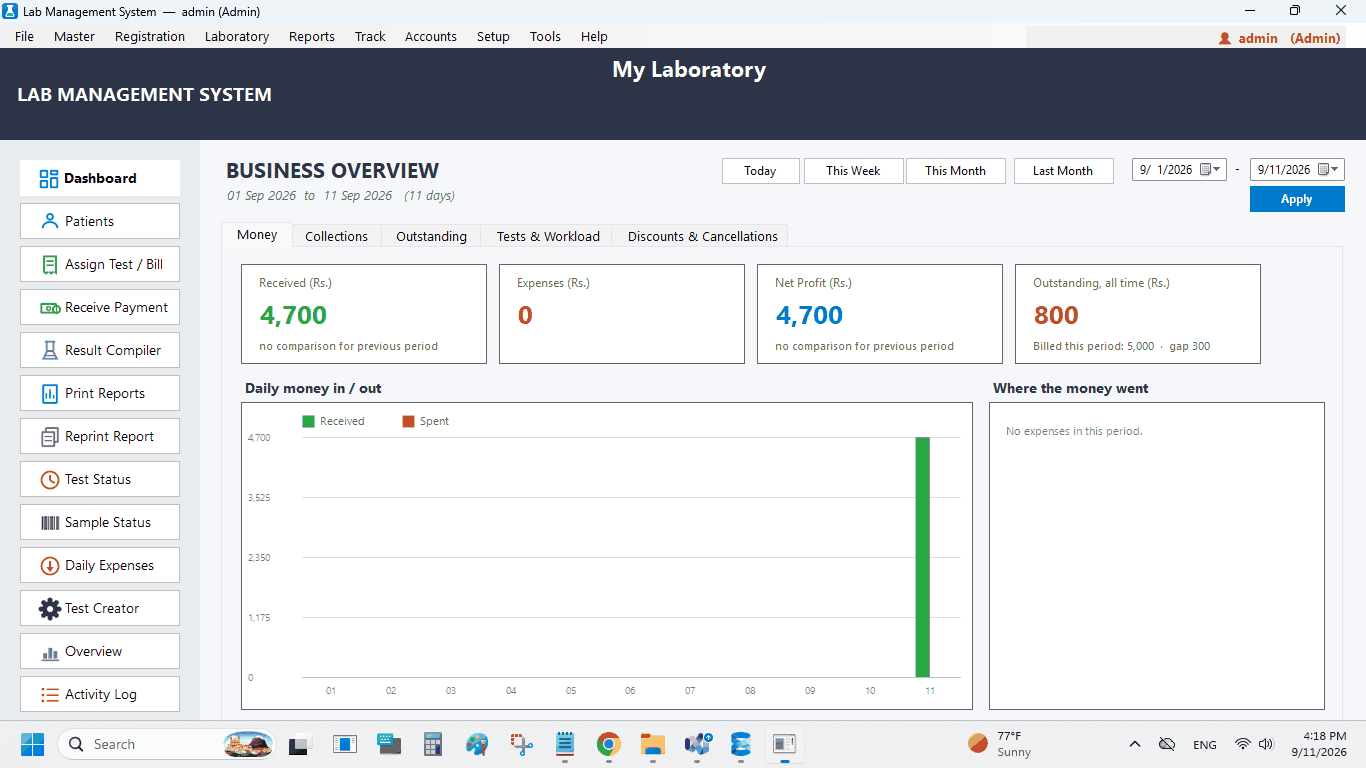
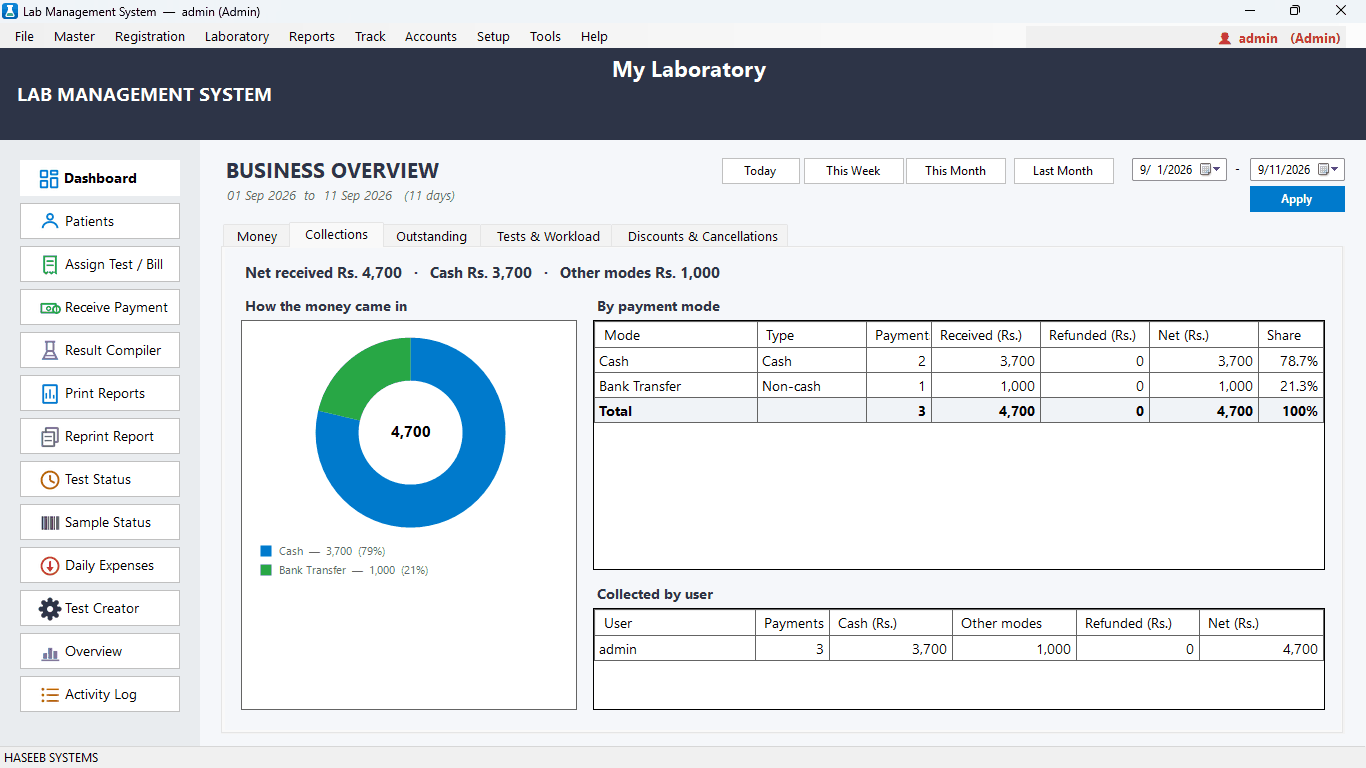
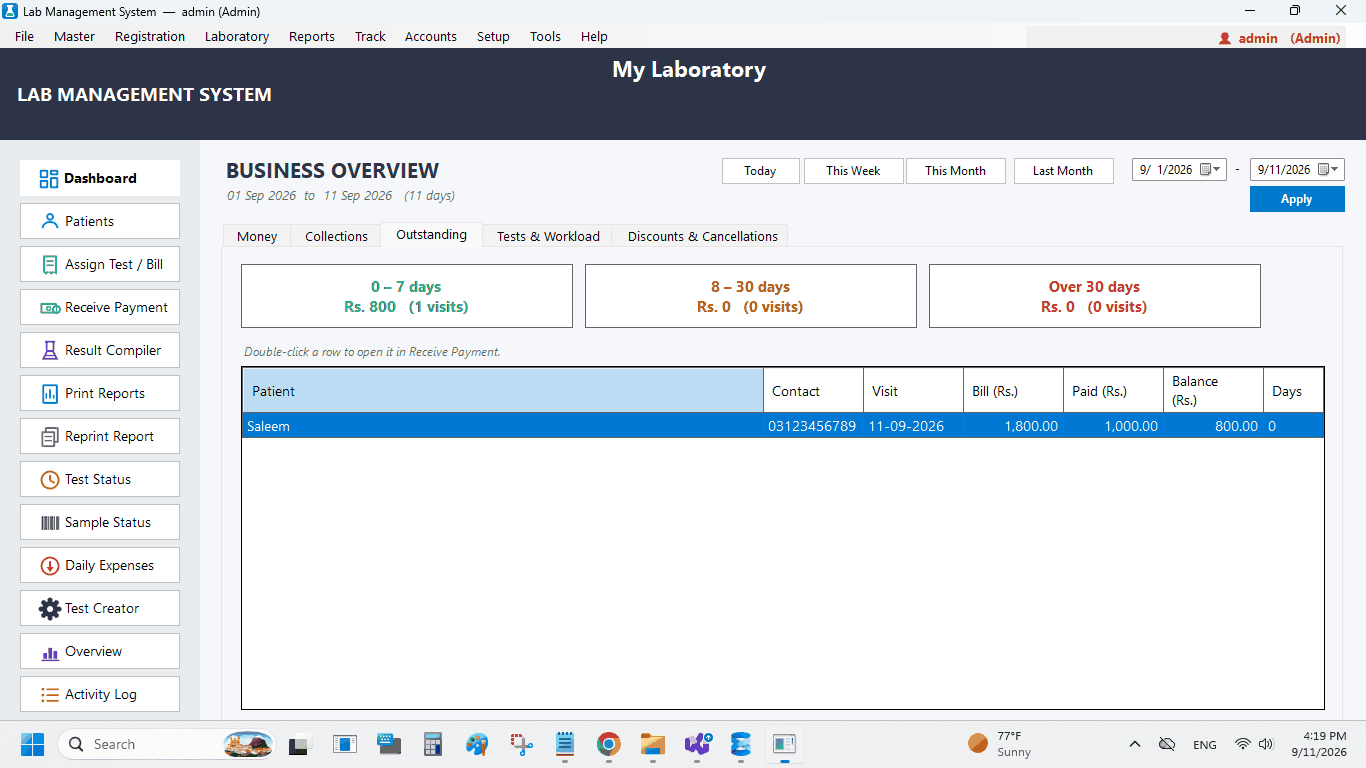
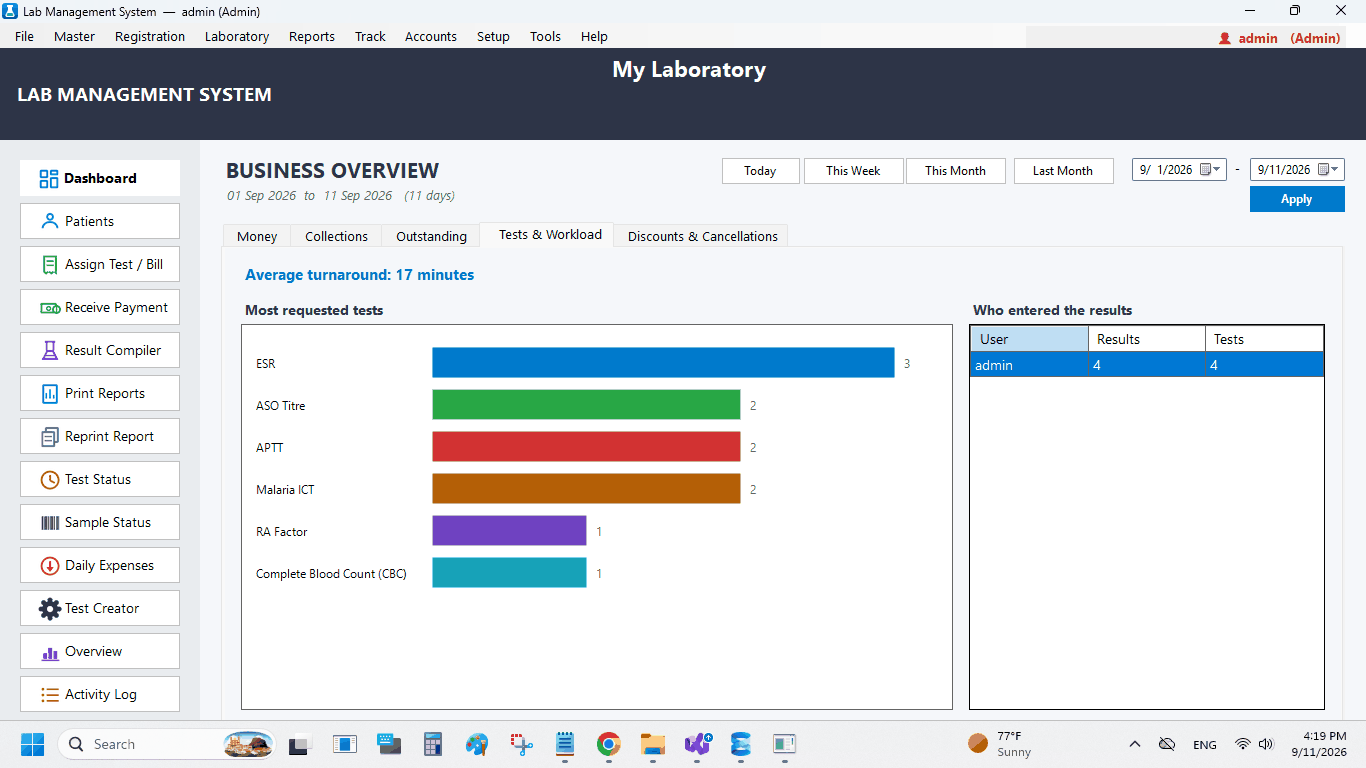
See today's patients, tests, money received, pending tests and reports ready to print. The business overview compares income, expenses and profit with the previous period and shows collections by payment mode and by user, outstanding dues by age, workload, turnaround time, discounts and cancelled tests.
Record expenses by category and payment mode. The daily cash sheet shows exactly how much cash should be in the drawer at the end of the day.
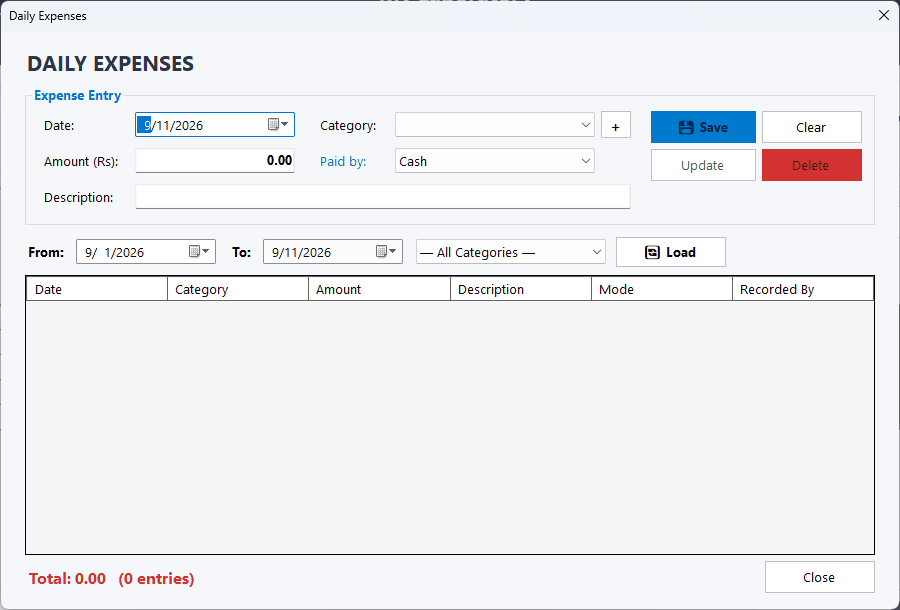
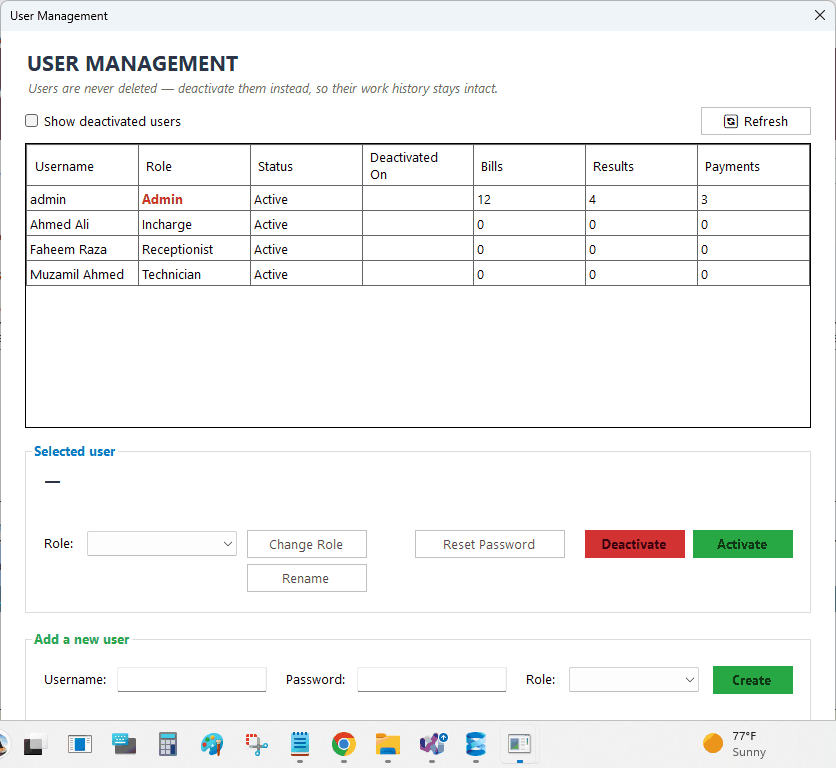
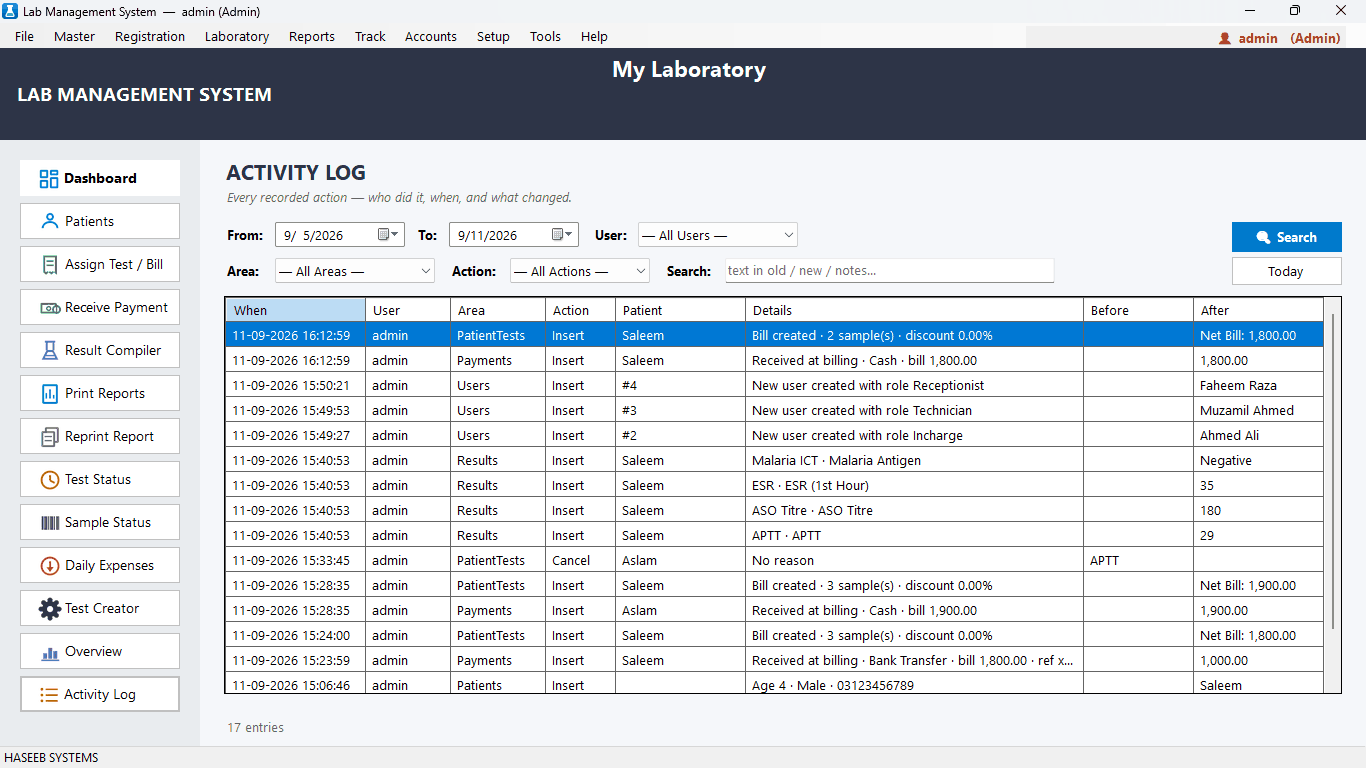
Four roles — Admin, In-charge, Receptionist and Technician — each with the right screens. An activity log records who did what and when.
Install the server edition on the main computer and the client edition on reception and laboratory computers. Everyone works on the same data at the same time.
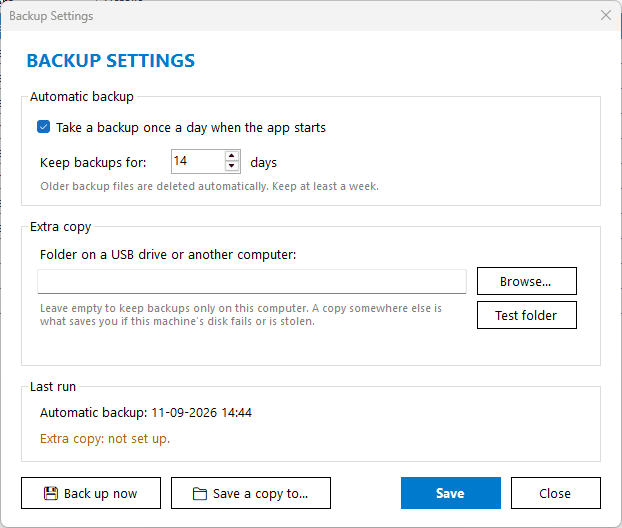
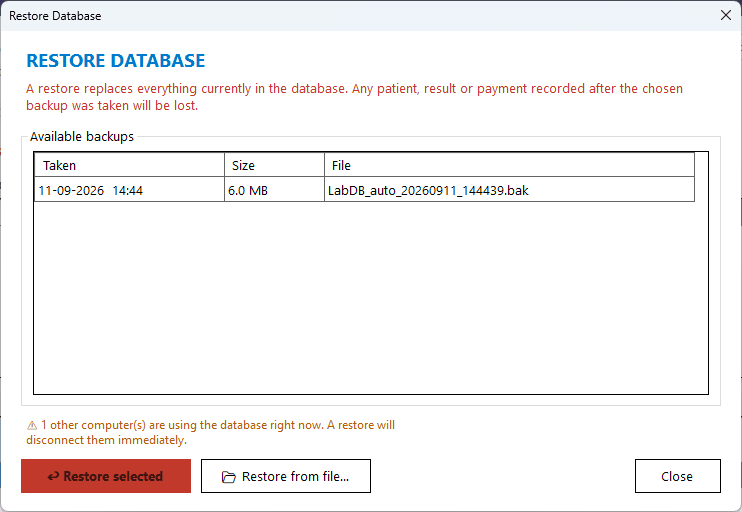
A backup is taken automatically every day, old backups are cleaned up, and a copy can be saved to a USB drive or another folder. Restore takes a few clicks.
Choose your own currency symbol and payment methods. Patient names and descriptions can be stored in Urdu, Sindhi, Arabic and other languages.
Passwords are stored with strong one-way hashing, the database connection is encrypted, and licensing is verified with digital signatures.
| Operating system | Windows 10 or Windows 11 (64-bit) |
|---|---|
| Database | Microsoft SQL Server Express (free) on the main computer |
| Network | Local network (LAN) for multiple computers |
| Internet | Needed for activation and periodic license checks; the software keeps working offline for up to 5 days between checks |
| Printers | 80 mm thermal printer for receipts, label printer for barcodes, A4 printer for reports |
| Optional | Barcode / QR scanner |
Yes. Create a free account, download the software, and start a 14-day free trial in the app. No card is needed.
Yes. Daily work happens on your own computers and network. Internet is needed to activate the software and for periodic license checks; it keeps working offline for up to 5 days between checks.
Yes. Install the server edition on the main computer and the client edition on the others. All computers share the same data over your local network.
The first computer is full price and every extra computer is half price. For example, on the monthly plan, 3 computers cost the price of 2. You can add computers later from My Account and pay only for the days left in your plan.
Remove the old computer from My Account and log in on the new one. You can do this once every 30 days, and we can help sooner if needed.
Yes. Each test parameter can have ranges by age and gender, and the report automatically uses the correct range for each patient.
Cash is ready to use, and you can add JazzCash, EasyPaisa, cards or any other method your lab accepts.
Yes. It prints 80 mm receipts with a QR code and Code 128 barcode labels for each sample type.
The software takes an automatic daily backup on the main computer and can save a copy to a USB drive or another folder. Restoring a backup takes a few clicks.
Yes. Set your currency symbol (Rs., AED, SAR, $ and others) in the lab profile.
Start your free trial today — 14 days, no card required.
 Lab Management System